Prank calls, silly Discord voice chats, or just wanting to sound like someone else for a video — there’s a mobile voice changer app for almost every reason you’d want one. But mobile app stores are full of apps that look similar on the surface, and not all of them actually change your voice live while you talk.
We went through the most popular options on both platforms and picked out 5 of the best voice changer apps for Android and iPhone in 2026 — noting clearly which ones work in true real time during a call, and which ones require recording your voice first.
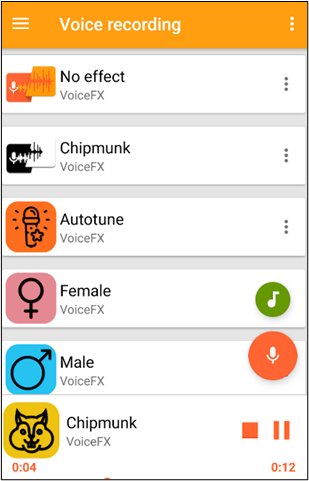
VoiceFX’s effect library is built to sound natural rather than obviously robotic.
VoiceFX tops this list for Android thanks to a solid library of voice effects that hold up well without sounding fake or mechanical — a common complaint with cheaper voice-changing apps. Whoever you’re talking to shouldn’t easily notice that your voice has been altered.
It also includes a built-in voice recorder, so beyond live use, you can capture a clip, apply an effect afterward, and reuse that altered clip elsewhere — handy if you’re dubbing over a video rather than making a live call.
- Natural-sounding voice effects
- Built-in voice recorder
- Quick to transform your voice
- Free to download
- In-app purchases can add up for premium effects
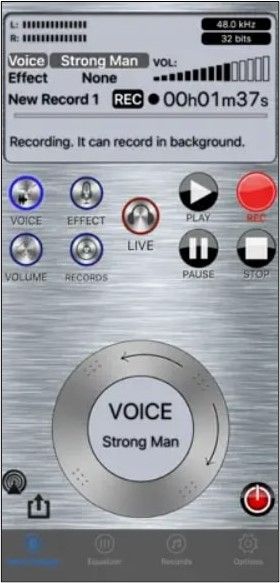
The app’s toolkit lets you fine-tune tone, speed, volume, and gender before you make the call.
True to its name, Live Voice Changer – Prankcall is built around one goal: making prank calls fun and convincing. Its editing toolkit lets you adjust your voice’s tone, speed, volume, and even switch the perceived gender of the voice before you dial.
It also includes background noise reduction, which helps keep the call sounding clean rather than muffled — a small detail that makes the prank feel more believable on the other end.
- Comprehensive voice editing toolkit
- Saves your voices to a personal library
- Background noise reduction included
- Custom voice tuning options
- Smaller voice library than some competitors
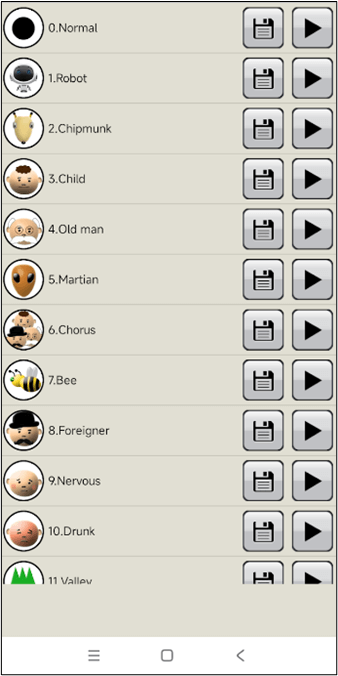
A large library of robotic and character-style effects, geared toward editors rather than live calls.
If you’re a content creator looking to add a funny, sad, serious, or robotic voiceover to a video rather than prank someone live, this Voice Changer app is a solid pick. Its effect library leans into video-editing use cases, giving you plenty of tone options to match different scenes.
This app requires you to record your voice first, then apply an effect afterward — it’s built for content editing rather than changing your voice while speaking live on a call.
- Completely free to use
- Long list of voice effects
- Lets you build a custom voice library
- Great for video/voiceover editing
- Displays ads
- No real-time/live voice changing
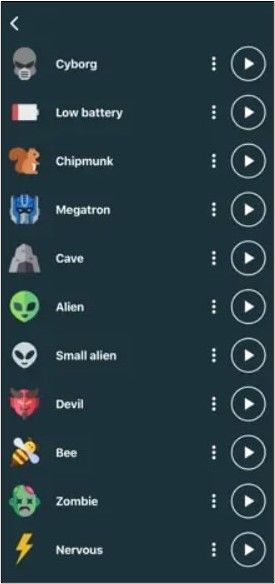
A clean, simple layout makes this one easy to pick up without any learning curve.
For iPhone users who want something straightforward, Voice Changer – Audio Effects keeps things simple: record your voice, pick an effect from the list, and get a cool, altered version of your recording. The stripped-down interface makes it approachable even if you’ve never used a voice-changing app before.
Once you’re happy with a recording, you can save or download it to your phone to use elsewhere — sharing it in a chat, adding it to a video, or just keeping it for later.
Like a few others on this list, this app works by recording your voice first and then applying the effect — it isn’t designed for changing your voice live during a call.
- Large collection of voice effects
- Free to download and use
- Simple, beginner-friendly interface
- Save and share converted recordings
- Displays ads
- No real-time/live voice changing
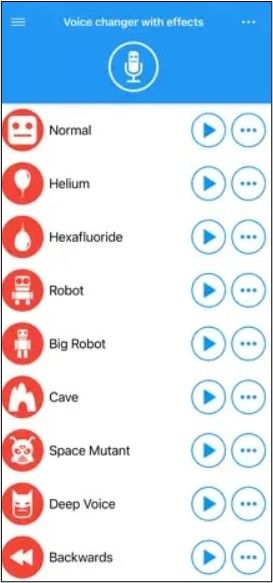
Effects here are tuned for realism rather than making your voice sound like a specific celebrity.
Rather than trying to make you sound like a specific celebrity or character, Voice Changer with Effects focuses on applying effects that make your altered voice sound convincingly real — ideal if the goal is a believable prank rather than an obvious gimmick.
You record your voice, apply an effect, and preview it in the built-in player before deciding whether to send it on to whoever you’re pranking.
This app is built around recording, converting, and previewing before sharing — it doesn’t support changing your voice live during an ongoing call.
- Manually apply effects for more control
- Most voices free to use
- Built-in recorder and playback
- Fast processing time
- Smaller list of available voices
6 Quick Comparison Table
Here’s a side-by-side summary, including which apps actually work live versus record-then-convert:
| App | Platform | Live/Real-Time | Price | Best For |
|---|---|---|---|---|
| VoiceFX | Android | ✓ | Free | Natural-sounding effects |
| Live Voice Changer – Prankcall | iOS | ✓ | Free | Prank calls |
| Voice Changer | Android | ✗ Record first | Free | Video/voiceover editing |
| Voice Changer – Audio Effects | iOS | ✗ Record first | Free | Simple, casual use |
| Voice Changer with Effects | iOS | ✗ Record first | Free | Realistic prank recordings |
7 Frequently Asked Questions
8 Conclusion
Here’s the quick recap of the 5 best voice changer apps for Android and iPhone in 2026:
- VoiceFX (Android) — best overall, natural-sounding live effects
- Live Voice Changer – Prankcall (iOS) — best for live prank calls
- Voice Changer (Android) — best for video/voiceover editing
- Voice Changer – Audio Effects (iOS) — best for casual, simple use
- Voice Changer with Effects (iOS) — best for realistic prank recordings
If a live, real-time voice change during an actual call is what you need, stick with VoiceFX or Live Voice Changer – Prankcall. For everything else — video edits, voice notes, or one-off recordings — the other three apps on this list give you more control over the final result.
🎙️ Ready to Try a Voice Changer on Your Phone?
Pick the app that matches your platform and use case above, and you’ll be changing your voice in minutes.