PvZ Fusion is a hugely popular Chinese fan-made mod built on Plants vs. Zombies, known for letting players “fuse” plants together to create wild hybrid abilities well beyond anything in the original game. The catch for most English-speaking players has always been the language barrier — until fan translator Teyliu (continuing earlier work by JosephFranci and Blooms) released a maintained English patch that’s now on version 3.6.1.
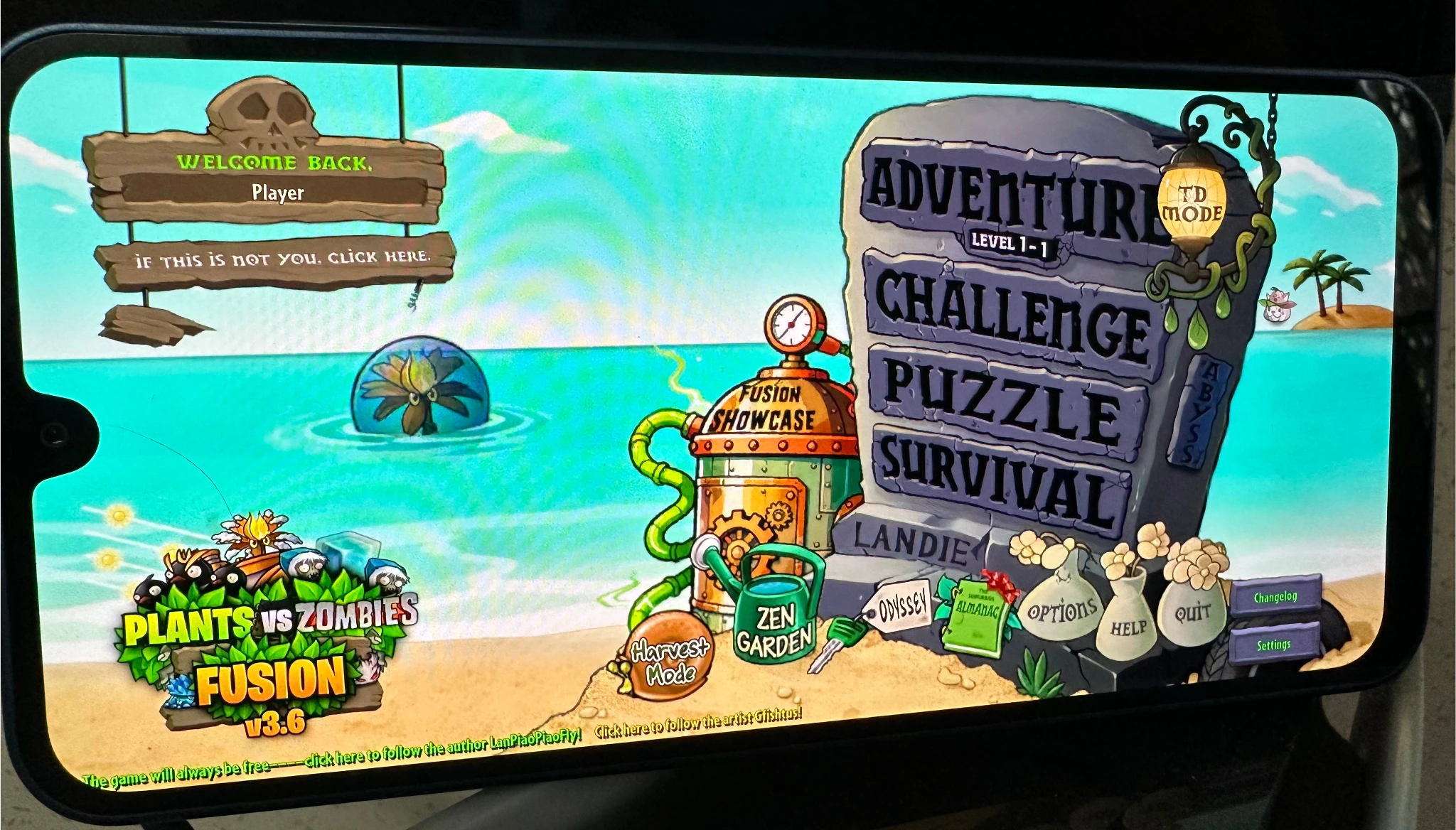
This guide walks through downloading and installing the English version on Android, plus how to safely update from an older translation without losing your save progress.
1 What Is PvZ Fusion?
PvZ Fusion is a fan-made modification built on top of the mobile version of Plants vs. Zombies, adding a signature fusion system where two plants can be combined into a single, more powerful unit with a blended skill set. It’s developed and maintained primarily within the Chinese modding community, which is why an official English release has never existed — the translation project covered here fills that gap entirely through community effort.
The translation is maintained on GitHub by Teyliu, building on earlier translation work, with active updates, bug fixes, and community feedback handled directly through the repository’s releases and issues.
2 What You’ll Need
| Requirement | Details |
|---|---|
| Device | Android phone or tablet |
| APK Source | Official GitHub Releases page for PVZF-Translation |
| Storage | Enough free space for the APK plus in-game assets |
| File Manager (for updaters) | RS File Manager, Files by MARC, or ZArchiver + Shizuku, if backing up saves |
- Go to the official PVZF-Translation releases page on GitHub.
- Scroll down to the Assets section (you may need to click the arrow next to “Assets” to expand it).
- Click the file named PvZFusion3.6.1-English-Beta1.11.apk to download it.
- Once downloaded, open the APK file.
- If Android blocks the install, enable Install unknown apps for your browser or file manager under Settings, then retry.
- Tap Install and wait for it to finish.
The first time you open the app after installing, give it a bit of time to initialize — this is normal for a large translated game package.
If you’re already running Beta 1.3 or later of JosephFranci’s or Blooms’ earlier translations, updating is simple:
- Download the new APK from the releases page above.
- Open it — you should see an “Update” option rather than a fresh install prompt.
- Your existing save progress carries over automatically.
This means you have a different translation or the original Chinese version installed, which isn’t directly compatible with a simple update. Follow the manual migration steps below instead.
Manual Migration (Different Translation or Chinese Version Installed)
- Back up your save files — copy them to a different folder. They’re located at
Android/Data/com.LanPiaPiao.PlantsVsZombiesRH/files(skip theil2cppfolder). Do this either by connecting your phone to a PC, or using a file manager app like RS File Manager, Files by MARC, or ZArchiver combined with Shizuku. - Uninstall your current version of the game.
- Install this new English translation and open it once to initialize.
- Restore your backed-up save files back into their original folder location.
Shizuku is a free tool that grants apps like ZArchiver elevated file access without rooting your device — useful for reaching the save file folder directly on your phone if you’d rather not connect to a PC.
5 Extra Tips and Known Issues
- Almanac entries: As of this version, the almanac requires fusing a plant before you can view its entry. You can unlock all almanac entries at once from the settings menu if you’d rather browse freely.
- UI scaling issues: If buttons appear clipped or run off-screen, go to Settings and tap “Screen Mode” three times to cycle through display modes until it looks right.
- Different music: Since this is a port of the multi-language mod, it uses different in-game music than the original Fusion release. There’s currently no option to change this due to technical limitations.
- Known untranslated areas: Abyss buff category names, and online level names, remain untranslated due to their complexity. The TD Mode “switch direction” button also starts in Chinese but fixes itself after the first press.
6 Frequently Asked Questions
7 Conclusion
Here’s the quick recap of getting PvZ Fusion in English on Android:
- New install: Download the APK from the official GitHub release and install it directly
- Updating from Beta 1.3+: Just open the new APK and choose Update
- Switching from a different translation: Back up your saves, uninstall, install fresh, then restore
With the translation installed, the fusion system, almanac, and most of the game’s menus are fully playable in English — a genuinely community-driven effort that opens up one of the more inventive Plants vs. Zombies mods to players who don’t read Chinese.
🌻 Ready to Play PvZ Fusion in English?
Grab the latest release from GitHub and you’ll be fusing plants in just a couple of minutes.